One device, everywhere it appears
A contactor can appear as a coil and contacts across sheets while remaining one device. Tags, terminals, and cross-references stay aligned.
Browser-based control-panel schematics
Draw IEC 60617 schematics with a real device model, automatic routing, live reports, and multiplayer collaboration. AI is built into the workflows where it can save you time.
Free during beta · No installation · Available in English and French
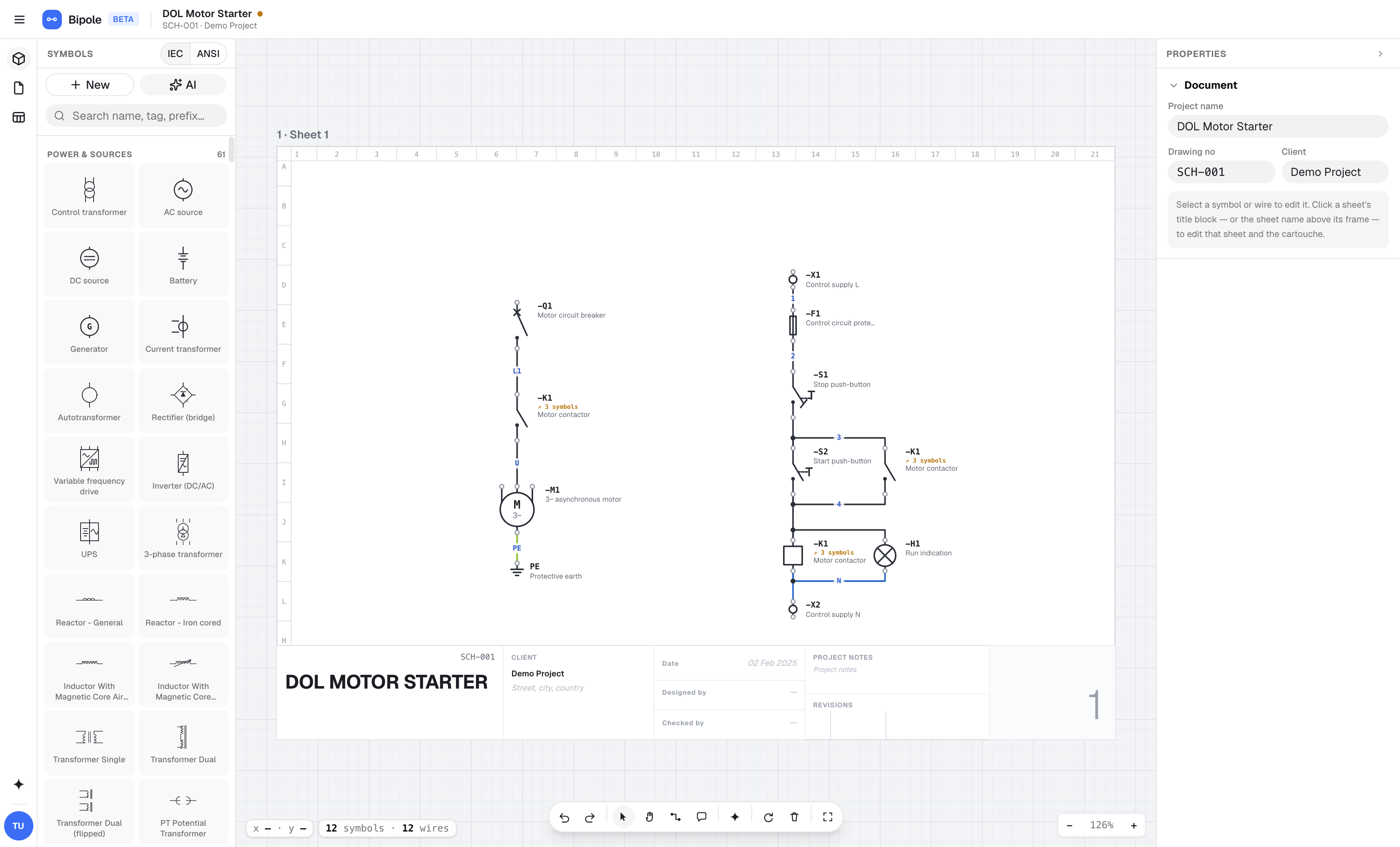
The editor comes first
Devices, symbols, wires, and sheets live in one connected model, so the project stays coherent as the design changes.
A contactor can appear as a coil and contacts across sheets while remaining one device. Tags, terminals, and cross-references stay aligned.
Connect two ports and Bipole draws a clean orthogonal route. Move a symbol and its wires follow without breaking the connection.
Wire lists and BOMs come from the schematic itself. Change a part number and the reports update; export CSV when it is time to hand off.
No installer, license server, or version rollout. Sign in and use the same current editor on macOS, Windows, or Linux.
Edit with live cursors, anchor comments to the drawing, and organize client work in shared workspaces instead of passing project copies around.
Preview named versions and automatic checkpoints before restoring them. Major operations create their own safety checkpoint first.
AI, neatly integrated
AI never replaces the editor. It works on the same structured project, and every result remains wired, tagged, and editable.
Turn a sentence into a routed, tagged schematic draft.
Convert a PDF, photo, or DXF into an editable project with review flags.
Describe the change and rewrite only that part of the schematic.
Select a region, get an explanation, and continue the conversation.
Use a description or datasheet, then refine the result in the symbol editor.
No AI plumbing. Simple weekly credits, with no provider keys, model menus, or token math. QElectroTech projects import directly without using AI.
Use Bipole at no cost while it is in beta. No card required.
Paid plans will be published before billing begins.